8 Desk Habits a Day of Web Work Builds, and the Mac App I Made to Catch Mine
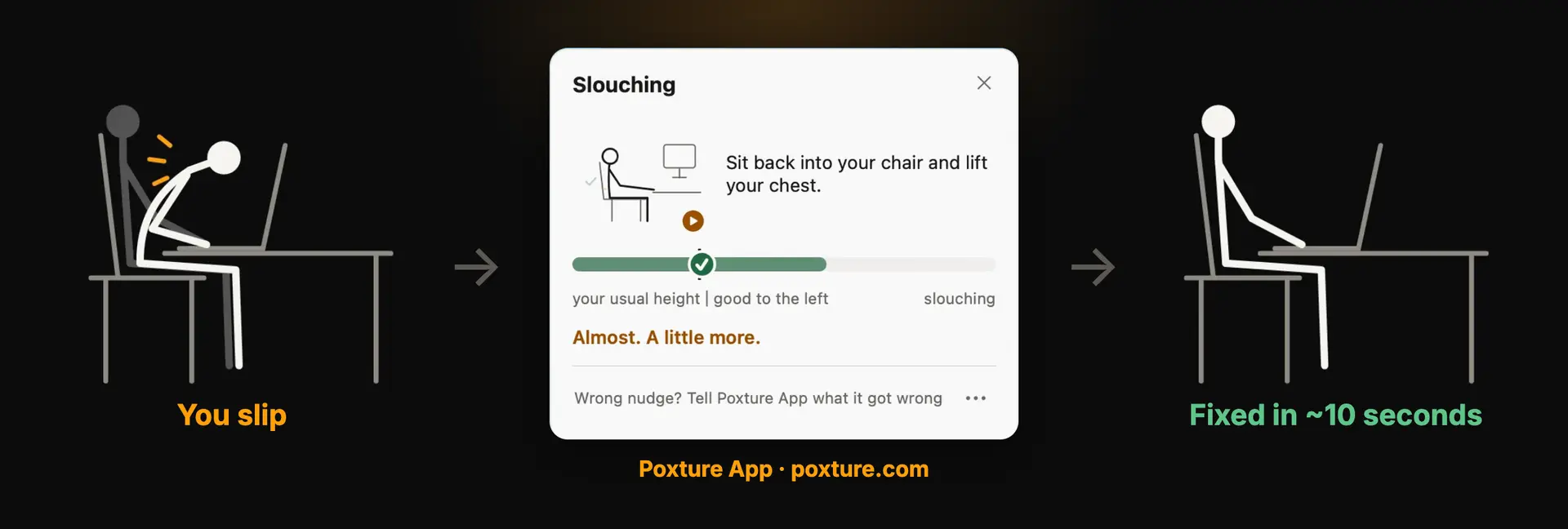
In just over three weeks, my Mac nudged me 443 times about how I sit.
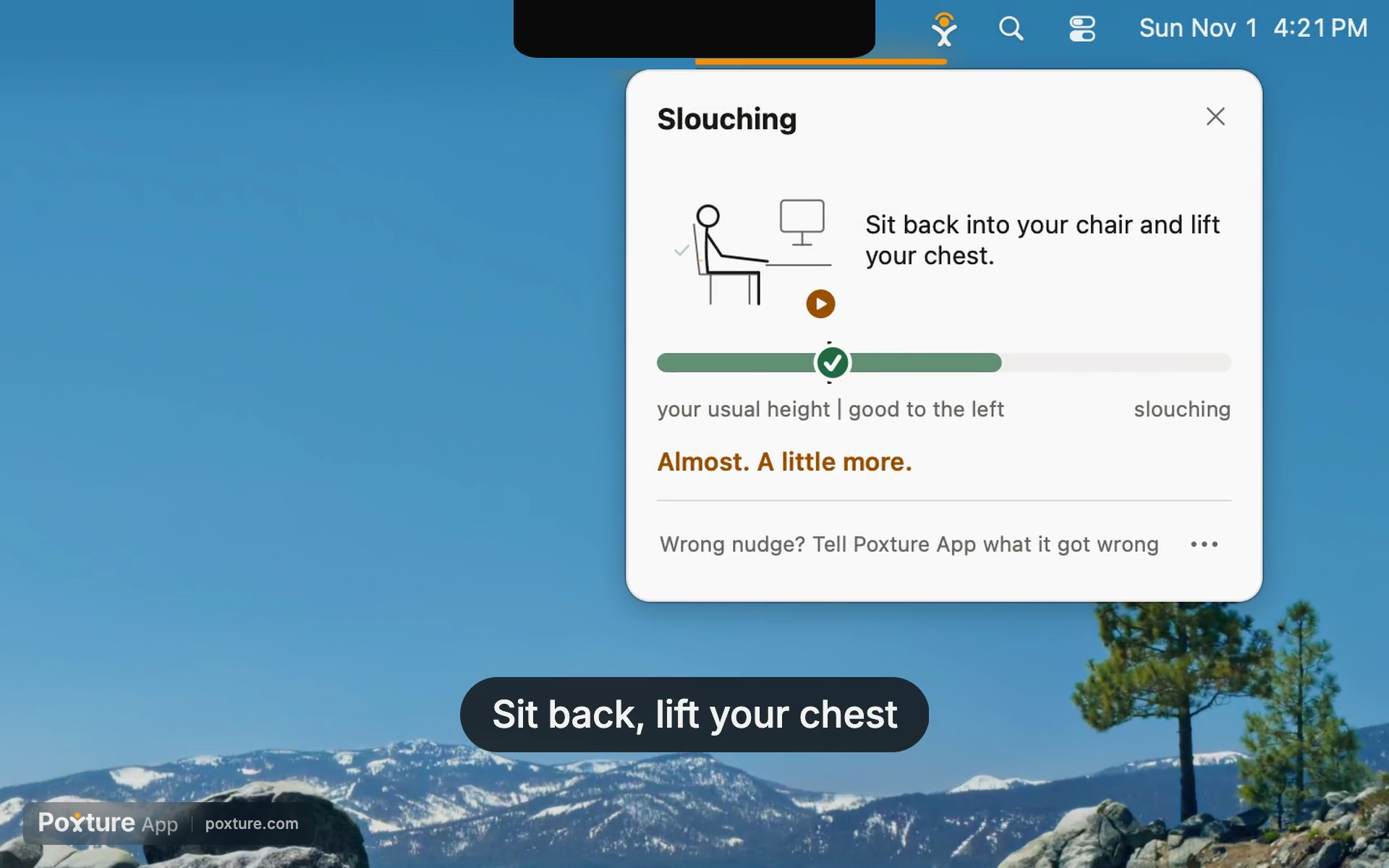
That's Poxture App, a Mac app I built for myself. It sits in your menu bar, checks your posture through your Mac's camera about once a minute, and shows you the fix when you slip. It needs an Apple Silicon Mac with macOS 15 or later.
I've run Ready Bytes since 2009. Client work at Ready Bytes carries on as before. Poxture App is a side product. The longer story of why I built it is on my personal blog. This post is about the habits.
What three weeks of my own use showed
These numbers are from my own Mac, 26 October to 19 November:
- 443 nudges in just over three weeks.
- 10 seconds was the typical fix. 350 of the 443 (79%) were fixed within a minute.
- 24 times a day, on average, it caught my hand on my face over 8 working days. I had no idea I did it that often.
The 8 habits, as they show up in web work
I'm assuming you sit at a desk most of the day, like most designers and developers I know. Here is where each habit shows up in my day, and what helps me.
- Too close to the screen. You lean in to check if a button is 1 pixel off. Fix: zoom the canvas (Cmd +) and sit back.
- Looking down. The laptop sits flat on the desk with no stand, or you check the mobile layout on your phone for 10 minutes. Fix: raise the laptop so the top of the screen is at or just below eye level.
- Hand on face. Chin in your hand while you read client feedback in a design review. This was my biggest one. Fix: rest your hands on the desk or in your lap while you read.
- Slouching. It's 5 pm, the last revision is due, and you slowly sink into the chair. Fix: sit back into your chair and lift your chest.
- Sitting still too long. You spend 40 minutes inside one layout bug or one Figma frame and don't move once. Fix: stand up every time you push a commit or export a frame.
- Hunched over. A hard problem pulls your head and shoulders forward toward the screen. Fix: sit back first, then think.
- Leaning to one side. An elbow on one armrest while you read a long client brief. Fix: sit evenly on both hips, with both feet on the floor.
- Not working from a proper desk setup. You answer one quick client message from the sofa, and it turns into an hour. Fix: get up every 10 minutes, or take the laptop back to the desk.
How it works
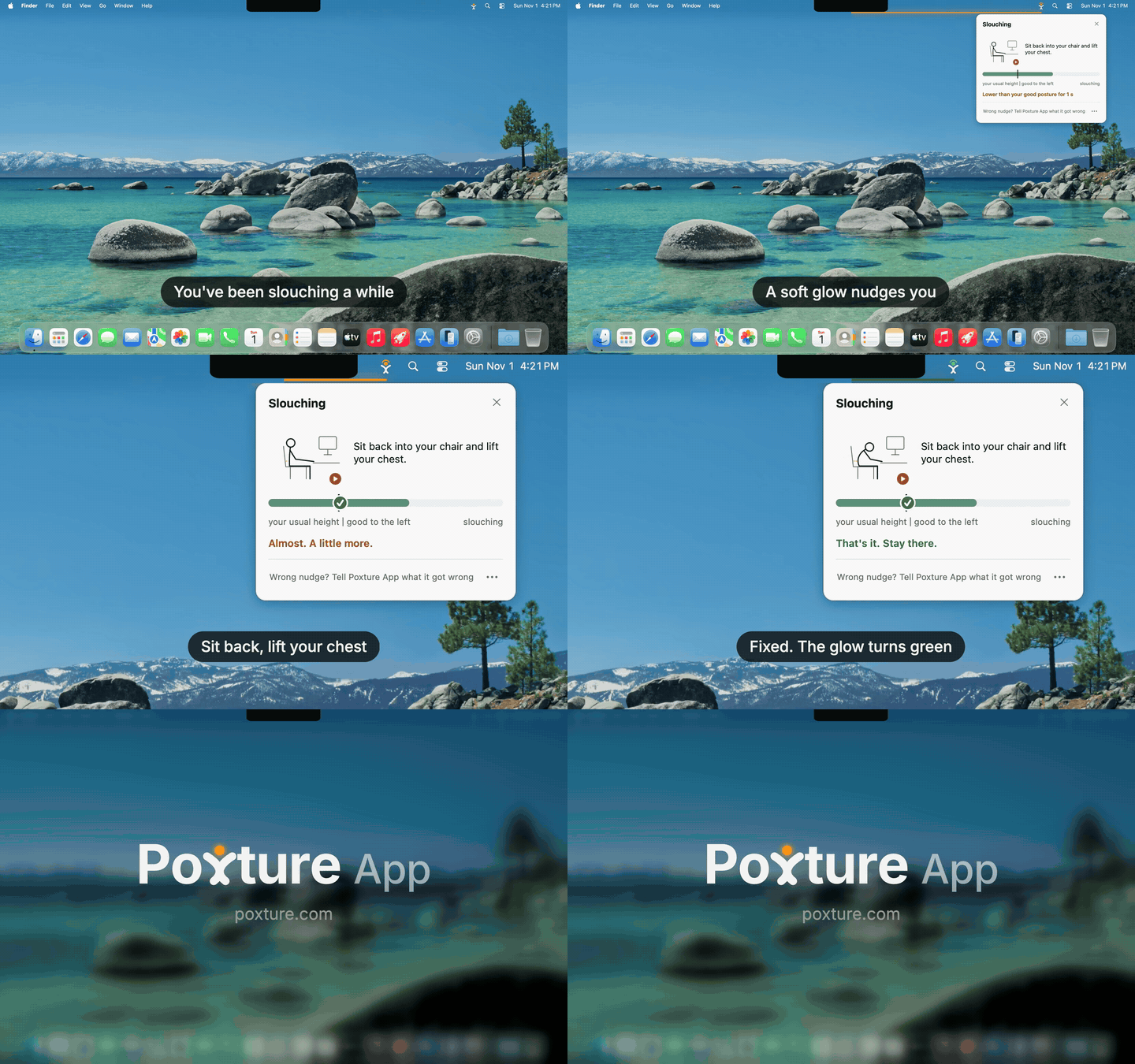
- Setup. You show it your good posture once for each screen. It compares you with that, not with a textbook posture.
- Checks. It checks about once a minute. When you slip, it shows the fix and tells you once your posture is right.
- Privacy. No picture is ever saved, sent or shown. The checks run on your Mac's own AI, which is why they work without internet.
- Light. On my MacBook Pro it used about 4% of the CPU in the background over a full workday.
No image, no account, no subscription, works without internet. The checks and your free hour need no internet.
For studio owners
If you run a studio, you can suggest it to your team. Each person installs it on their own Mac. There is no dashboard, and you see nothing about anyone. That's on purpose.
Price
- Free to use: every feature for the first 14 days, then the first hour each day, free for good. No card needed.
- Support Poxture App: $29 once per Mac to keep it on all day, with free updates for life. A full refund within 14 days, no questions.
- Black Friday: 34% off when you support Poxture App, code BLACKFRIDAY ($19 instead of $29), until 30 November, 11:59 pm India time.
Poxture App is not a medical device and makes no medical claims.
Get Poxture App at poxture.com (free to use)
Which of these 8 habits do you catch yourself in most?

Shyam Verma
Full Stack Developer & Founder
Shyam Verma is a seasoned full stack developer and the founder of Ready Bytes Software Labs. With over 17 years of experience in software development, he specializes in building scalable web applications using modern technologies like React, Next.js, Node.js, and cloud platforms. His passion for technology extends beyond coding—he's committed to sharing knowledge through blog posts, mentoring junior developers, and contributing to open-source projects.