Browsers don't run well in containers, MCP servers crash frequently, and connecting containerized environments to host browsers is a nightmare.
That's why I built playwright-mcp-wrapper.
The Problem
When developing inside Docker containers, you face three major challenges:
- You can't run browsers directly in containers - Browsers need display servers, GPU access, and system libraries that containers don't provide reliably
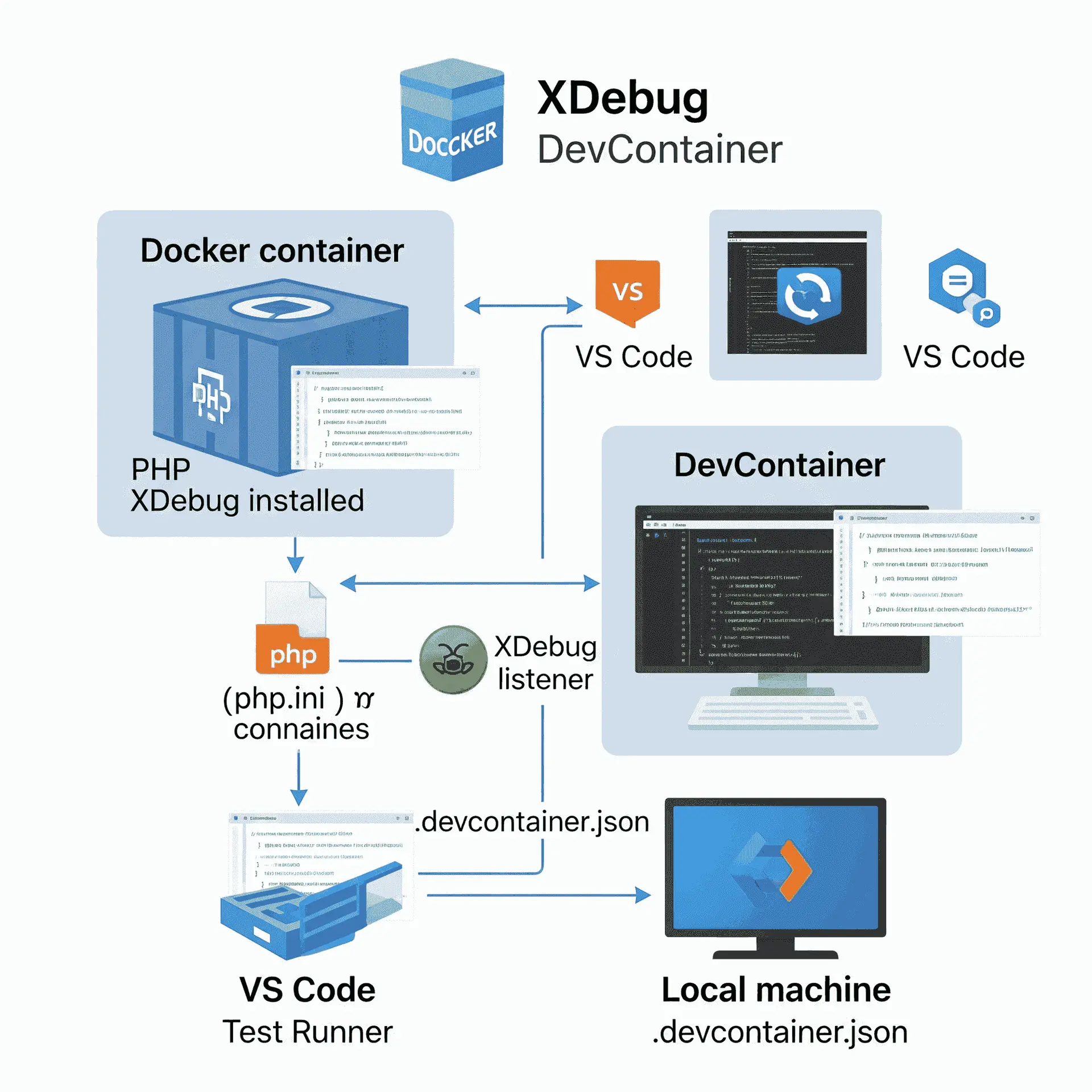
- MCP servers running on host need connection management - Your containerized development environment needs to connect to MCP servers on the host machine
- Frequent server crashes - Playwright MCP servers are unstable and crash mid-task
The typical solution? Run MCP servers on your host machine and connect to them from containers. But this creates a new problem: who manages the servers, keeps them running, and handles multiple browsers?
The Solution: playwright-mcp-wrapper
1. Persistent Process Management with PM2
Instead of manually starting/stopping MCP servers, the wrapper uses PM2 to:
- Auto-start all browser servers with a single command
- Auto-recover when servers crash
- Monitor server health
- Provide centralized logs
npm start  # Start all browser servers
npm stop   # Stop all servers
npm test   # Test all endpoints
2. Multi-Browser Support with Dedicated Ports
The wrapper manages 6 different browser types, each on its own dedicated port:
- Chrome (8931)
- Brave (8932)
- Firefox (8933)
- Chromium (8934)
- WebKit (8935)
- Comet (8936)
Plus two additional persistent browser profiles on ports 8941-8942.
3. Seamless Container Integration
Local development:
{
  "mcpServers": {
    "playwright-chrome": {
      "url": "http://localhost:8931/sse"
    }
  }
}
Inside Docker/DevContainer:
{
  "mcpServers": {
    "playwright-chrome": {
      "url": "http://host.docker.internal:8931/sse"
    }
  }
}
That's it. The host.docker.internal hostname automatically resolves to your host machine from inside the container.
How It Works
The project uses an ecosystem.config.js file that defines PM2 apps for each browser:
module.exports = {
  apps: [
    {
      name: "mcp-chrome",
      script: "npx",
      args: "-y @executeautomation/playwright-mcp-server ./chrome.json",
      cwd: "./browser-configs",
      autorestart: true,
      watch: false
    },
    // ... more browsers
  ]
};
Each browser has its own JSON config file specifying the port and browser type:
{
  "port": 8931,
  "browserName": "chrome"
}
Why I built this
I develop exclusively inside DevContainers. Every time I needed browser automation, something would break. Server crashes mid-task, connections timed out, and I had to manually restart processes.
Now my workflow is simple: start the servers once on my host machine, point my DevContainer config at host.docker.internal, and forget about it. If a server crashes, PM2 restarts it. If I need a different browser, I just change the port number.
Installation
git clone https://github.com/ssv445/playwright-mcp-wrapper.git
cd playwright-mcp-wrapper
npm install -g pm2 playwright
npm install
npm start
Visit any browser's SSE endpoint to verify it's running:
curl http://localhost:8931/sse
If you develop in containers and need browser automation, the repo is at playwright-mcp-wrapper. Issues and PRs welcome.

Shyam Verma
Full Stack Developer & Founder
Shyam Verma is a seasoned full stack developer and the founder of Ready Bytes Software Labs. With over 13 years of experience in software development, he specializes in building scalable web applications using modern technologies like React, Next.js, Node.js, and cloud platforms. His passion for technology extends beyond coding—he's committed to sharing knowledge through blog posts, mentoring junior developers, and contributing to open-source projects.