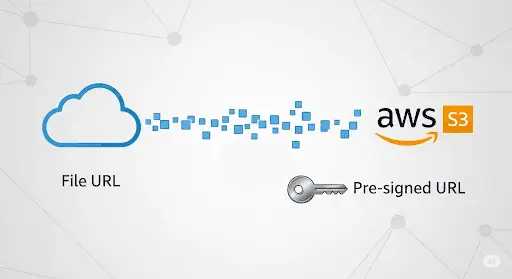
You can write a UploadService file.
The below code (Nodejs) uploads a file from a given URL to an AWS S3 bucket using a pre-signed URL. It streams the file instead of loading it fully into memory.
The uploadFileToPresignedUrl(presignedUrl, fileUrl) function does the actual upload.
- It first makes a GET request to the
fileUrlusingaxios, with the response type set to 'stream'. - The response from this request, which is a stream of the file data, is then used as the data in a PUT request to the
presignedUrl. The headers of this request include the content type and length of the file. - The PUT request also uses a
httpsAgentwithkeepAliveset to true. - The
maxContentLengthis set to 5GB andmaxBodyLengthis set to Infinity.
Here is the full source code:
"use strict";
const axios = require("axios");
const https = require("https");

async function uploadFileToPresignedUrl(presignedUrl, fileUrl) {
  const response = await axios({
    method: "get",
    url: fileUrl,
    responseType: "stream",
    httpsAgent: new https.Agent({ keepAlive: true }),
  });

  const fileStream = response.data;
  const uploadResponse = await axios({
    method: "put",
    url: presignedUrl,
    data: fileStream,
    headers: {
      "Content-Type": response.headers["content-type"],
      "Content-Length": response.headers["content-length"],
    },
    httpsAgent: new https.Agent({ keepAlive: true }),
    maxContentLength: 5 * 1024 * 1024 * 1024, // 1GB
    maxBodyLength: Infinity,
  });

  return uploadResponse;
}

class UploadService {
  constructor() {
    this.uploadStream = this.uploadStream.bind(this);
  }

  async uploadStream(presignedUrl, fileUrl) {
    try {
      const response = await uploadFileToPresignedUrl(presignedUrl, fileUrl);
      return true;
    } catch (error) {
      throw error;
    }
  }
}

module.exports = UploadService;

Shyam Verma
Full Stack Developer & Founder
Shyam Verma is a seasoned full stack developer and the founder of Ready Bytes Software Labs. With over 13 years of experience in software development, he specializes in building scalable web applications using modern technologies like React, Next.js, Node.js, and cloud platforms. His passion for technology extends beyond coding—he's committed to sharing knowledge through blog posts, mentoring junior developers, and contributing to open-source projects.